Connect HubSpot with Zentor App
What your AI chatbot learns in a conversation lands in HubSpot without any retyping: contacts are created or updated, qualified leads become deals, and your sales team sees the conversation summary right in the contact timeline.
Typical uses: a prospect leaves their email address in the chat – Zentor App creates or updates the contact in HubSpot and saves the conversation summary as a note. A lead asks for a demo or shows buying interest – Zentor App automatically creates a deal. Your sales team marks the deal as won or lost in HubSpot – the lead status in Zentor App is updated accordingly, so you can see which chat leads turn into sales.
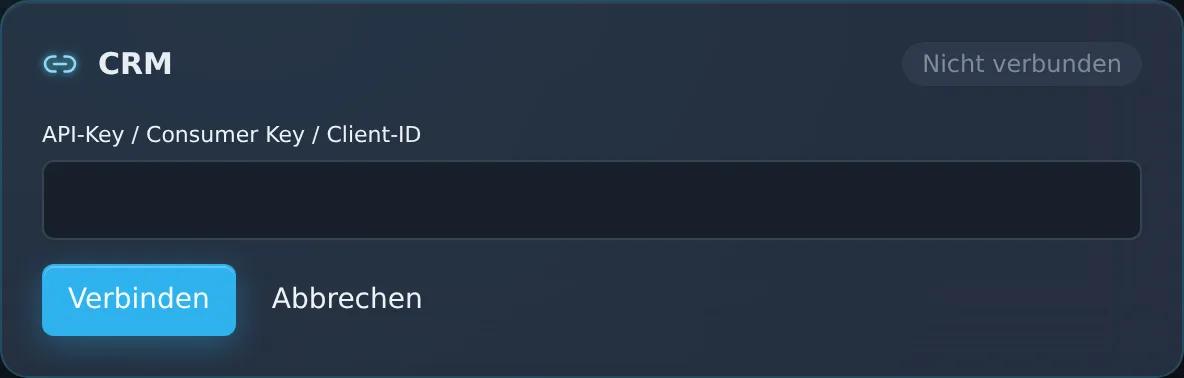
You set up the connection in the dashboard under “CRM/ERP/Shop Connectors” with the token of a HubSpot private app; you can map the deal stages of your pipeline there. It requires the CRM Integration add-on (€39/month). If you wish, the Zentor team will support you.
Feature set
Create or update contacts automatically – matched by email address
Deals created automatically for qualified leads
Conversation summary as a note in HubSpot
Deal status (won/lost) flows back into Zentor App
View in the Zentor App dashboard
Frequently asked questions
What do I need for the setup?
The token of a HubSpot private app from your HubSpot account and the CRM Integration add-on. You enter the token in the dashboard under “CRM/ERP/Shop Connectors”; if you wish, the Zentor team will help you.
Which data does Zentor App send to HubSpot?
Contacts with email address and company, the lead status and a summary of the conversation. For qualified leads – for example when a demo is requested or there is buying interest – a deal as well.
What happens to the deal status in HubSpot?
Zentor App syncs the status of your deals regularly. When a deal is marked as won or lost in HubSpot, Zentor App applies this status to the corresponding lead.
Can I use my own deal stages?
Yes. In the dashboard you specify which stage of your pipeline stands for open, won and lost deals. If you do not, the stages of the HubSpot default pipeline apply.
Set up this connector for your business
Talk to us about your use case – we'll show you how the connection to your system is set up.