Omnichannel Inbox: All Channels in One Interface
With the Zentor App Omnichannel Inbox, manage WhatsApp, Telegram, SMS, email, Webchat, and telephony as equally-ranked channels in a single unified interface — no more channel switching.
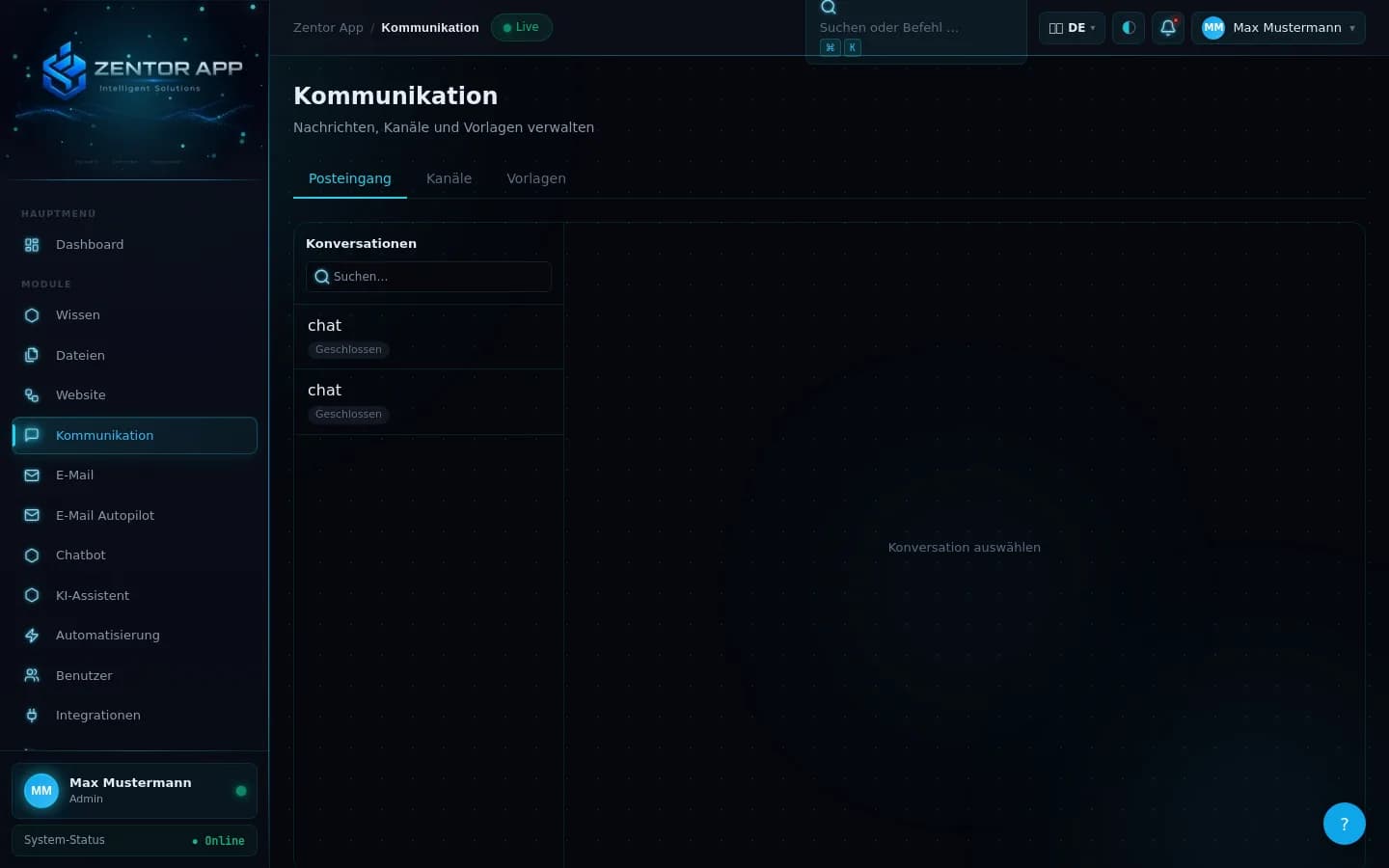
The Problem with Multiple Channels
Modern customers write via WhatsApp, send emails, and chat through Webchat — and expect fast, consistent responses on every channel. Teams managing these channels with separate tools lose time to channel switching, duplicate handling, and lack of visibility.
Conversations get lost. Response times increase. Customers have to repeat themselves when switching channels — a service problem that escalates as the number of channels grows.
The Zentor App Omnichannel Inbox solves this: all channels in one interface, with full conversation history, AI chatbot integration, and seamless Handover.
Overview of the 6 Channels
Zentor App integrates six communication channels live in a shared inbox: Webchat, email, WhatsApp, Telegram, SMS, and telephony via the Zentor SIP-Voicebot. Available channels vary by plan.
Embeddable chat widget for your website. Starter.
Incoming emails are displayed as conversations in the omnichannel inbox and can be processed automatically or by employees. Email is available as an optional module in the Individual (Individuell) plan.
WhatsApp Business API — customers write via WhatsApp, replies sent from the Zentor App inbox. Individual (Individuell) plan.
Telegram bot integration for direct customer communication. Individual (Individuell) plan.
SMS inbound and outbound through the central inbox. Individual (Individuell) plan.
Note: phone is bookable via the Zentor SIP-Voicebot; a phone number and suitable SIP/PSTN connection are provided as part of individual setup by Zentor.
Omnichannel Inbox Feature Overview
All conversations from all channels in one shared interface — with channel labels and full conversation history.
The AI chatbot automatically responds to inquiries across all channels. When needed, it transfers via Handover to an agent.
Conversations can be assigned to agents or teams. Filters and labels enable structured processing.
Role-based access control (RBAC) ensures agents only see the conversations they are responsible for.
Integration with the AI Chatbot
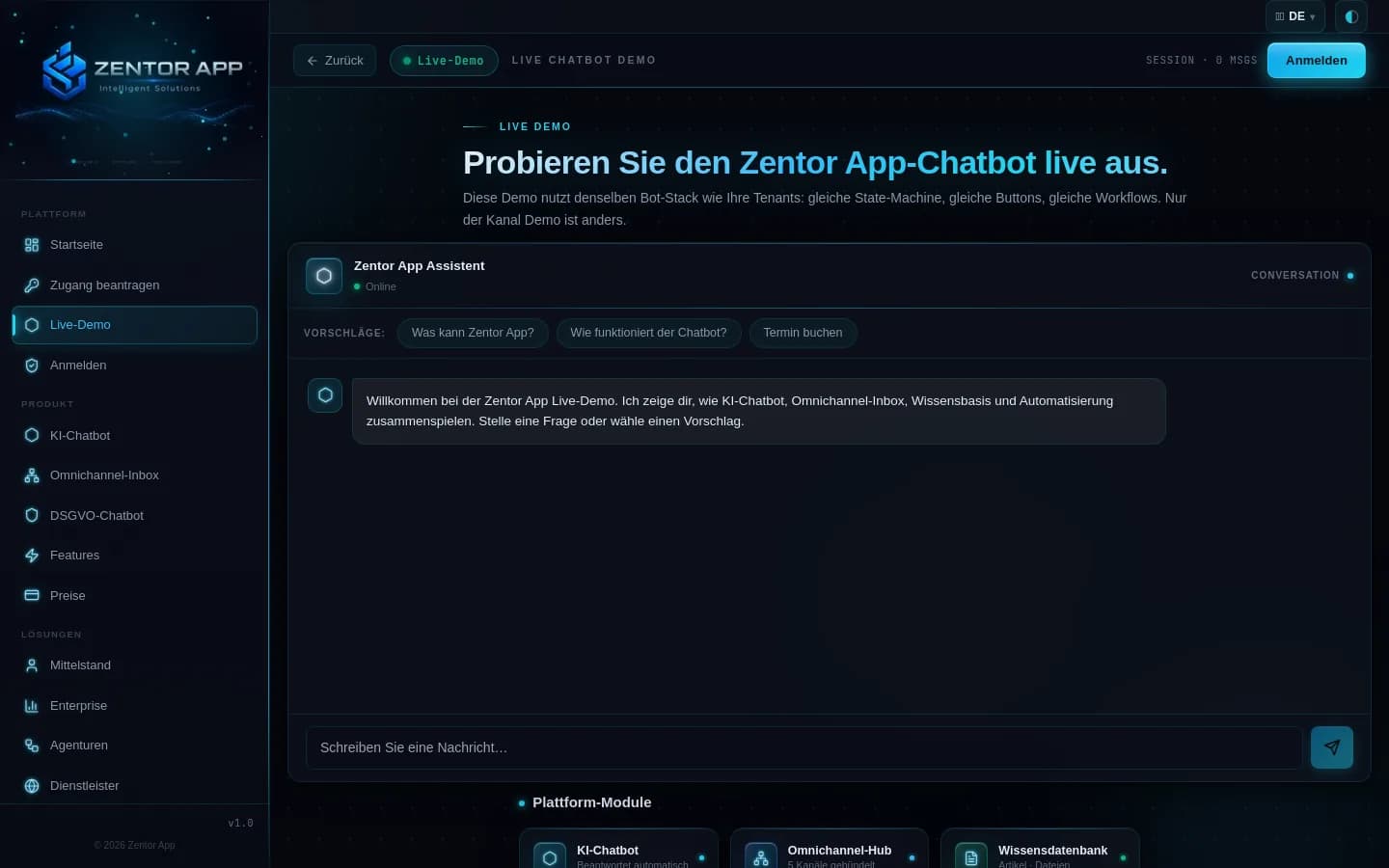
The Omnichannel Inbox is directly integrated with the Zentor App AI chatbot. Every incoming message — whether via WhatsApp, email, or Webchat — is first processed by the bot.
If the bot cannot resolve the inquiry or the customer requests human assistance, the Handover mechanism triggers the transfer. The agent sees the full conversation history in the inbox.
The transfer is invisible to the customer: they continue chatting in the same channel — without interruption, without re-identification.
How omnichannel communication is strategically positioned and differs from pure multi-channel operation is explained in our Omnichannel Customer Communication guide .
What Is an Omnichannel Inbox?
An omnichannel inbox is a central user interface where all incoming customer messages from different communication channels converge — webchat, WhatsApp, Telegram, SMS, email, and telephony, equally ranked, in a single view. Teams work across channels without having to switch between different tools.
Unlike a normal email inbox or a simple live chat tool, an omnichannel inbox brings all channels together on equal footing: a WhatsApp message and an email from the same customer appear as connected conversations. Staff see the complete conversation history — regardless of which channel a customer last wrote from.
Combined with an AI chatbot, an omnichannel inbox can automatically answer inquiries, qualify and prioritize customers, and hand off to the right staff member when needed — in real time, across channels.
Omnichannel Inbox vs. Live Chat vs. Helpdesk: The Comparison
Many businesses wonder whether they need a helpdesk system, a live chat tool, or an omnichannel inbox. Here are the key differences:
| Tool | Channels | AI | History | Multi-channel |
|---|---|---|---|---|
| Live Chat Tool | webchat only | rarely | limited | ✗ |
| Helpdesk (email-based) | rarely | ✓ | ✗ | |
| Omnichannel Inbox | 6 channels live | ✓ integrated | ✓ cross-channel | ✓ |
For businesses serving more than one channel or looking to use AI automation, an omnichannel inbox is the superior choice — less tool-switching, more context, a better customer experience.
Typical Use Cases for the Omnichannel Inbox
The omnichannel inbox is suited for businesses that receive many customer inquiries via multiple channels daily:
Order inquiries via WhatsApp, return requests via email, support chat on the website — all in one inbox, prioritized and assigned.
Appointment requests via webchat or WhatsApp, quotes via email, follow-up questions via SMS — Zentor App consolidates all inquiries with complete conversation history.
Tenants write via WhatsApp, prospective renters via web chat, and applicants via email — the omnichannel inbox ensures no inquiry gets lost.
Multi-tenant operation with separate inboxes per client. Each customer has their own configuration, channels, and staff — centrally manageable.
When Do You Need an Omnichannel Inbox?
An omnichannel inbox makes sense when at least three of the following points apply to you:
- ✓Your team answers more than 20 customer inquiries daily
- ✓Customers reach you via more than one channel (WhatsApp + email + webchat)
- ✓You want to automatically answer or prioritize inquiries
- ✓Staff lose time through manual channel switching
- ✓You want to track and archive conversations
- ✓GDPR-compliant data storage is a legal obligation for your business
Frequently Asked Questions About the Omnichannel Inbox
What is an Omnichannel Inbox?
An Omnichannel Inbox is a unified user interface where all customer messages from various communication channels converge. Instead of using separate tools for email, WhatsApp, Telegram, and SMS, agents see all conversations in one place — with full conversation history and channel labels.
Which channels does Zentor App integrate?
Zentor App integrates six channels live: Webchat (embeddable widget for your website), email, WhatsApp, Telegram, SMS, and telephony via the Zentor SIP-Voicebot. Webchat is available from the Starter plan (for one domain); email, WhatsApp, Telegram, SMS, and telephony are freely selectable modules in the Individual (Individuell) plan. All channels converge in the shared Omnichannel Inbox.
Can I view messages from different channels together?
Yes. The Omnichannel Inbox displays conversations from all connected channels in a shared view. Each conversation is labeled with the channel so agents immediately know whether a customer is writing via WhatsApp, email, or another channel. Filters and assignments enable structured processing.
How does the transfer from bot to agent work?
When the AI chatbot cannot resolve an inquiry or the customer wants personal contact, the Handover mechanism triggers the transfer. The agent sees the full conversation history in the inbox — which questions were asked and how the bot responded. The transfer is invisible to the customer: they continue chatting in the same channel.
From which package is WhatsApp available?
WhatsApp, Telegram, and SMS are package-dependent and must be technically activated. Telephony is bookable via the Zentor SIP-Voicebot. For an overview of all channel content per package, see the pricing page.
Can I assign conversations in the inbox to specific team members?
Yes. In the Zentor App Omnichannel Inbox, conversations can be manually assigned or automatically routed based on rules. Team members only see conversations assigned to them or their group — depending on the roles and permissions configuration.
How many users can work simultaneously in the inbox?
This depends on the selected package. Starter is designed for one website. In the Individual (Individuell) package, the number of users is freely configurable with no fixed limit. All users see conversations in real time and can work simultaneously in the inbox — without duplicate handling through assignment and status management.
Are there notifications for new messages in the inbox?
Yes. Team members receive notifications when new conversations arrive or a conversation is assigned to them. This also applies to handovers: when the AI chatbot transfers a conversation to a team member, they are immediately notified — regardless of which channel the customer is communicating through.
All Channels. One Inbox. Start Now.
Test the Zentor App Omnichannel Inbox in demo mode or speak with us about the right plan.